Vercel Free vs Pro Plan in 2026: Real Limits, Pricing and When to Upgrade
A practical guide to Vercel Hobby vs Pro real limits in 2026: bandwidth, function timeout, team collaboration, and when it's really worth paying the $20/month.

Jesús Blanco
Autor
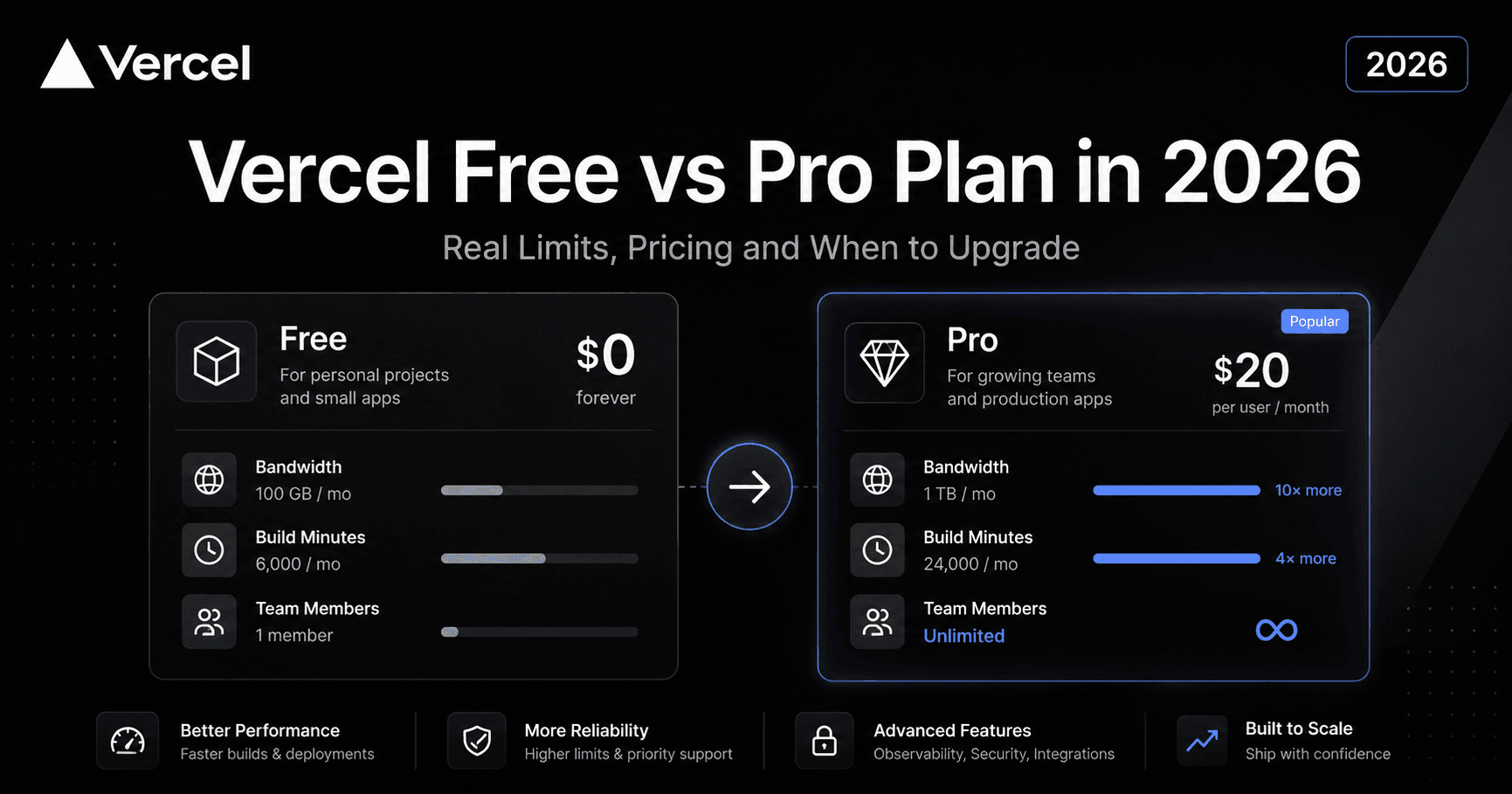
Vercel Free vs Pro Plan in 2026: Real Limits, Pricing and When to Upgrade
If you landed here searching for Vercel's actual pricing in 2026, you are in the right place. Most articles either copy the pricing page or skip the part that actually matters: what happens when you hit a limit, what the real cost looks like after overages, and whether the free Hobby plan is enough for your specific situation.
This guide covers all of it. Real numbers, real limits, and a straight answer on when it makes sense to pay the $20.
Vercel's three plans in 2026
Vercel currently offers three plans: Hobby, Pro, and Enterprise. If you are reading this, you are almost certainly deciding between the first two.
Hobby is the free plan. It runs forever without a credit card. The catch is that it is only allowed for personal, non-commercial projects. If your site generates revenue, serves paying clients, or is part of a business in any form, Vercel's terms of service require you to be on Pro, regardless of how much you actually consume.
Pro costs $20 USD per seat per month. Since September 2025, Vercel moved to a credit-based model: each month you receive $20 in flexible credits that apply to any resource, plus dedicated allowances for data transfer and edge requests. Viewers on your team (people who can see the project but do not deploy) do not count as paid seats.
Enterprise is for large organizations with custom security requirements, SSO, dedicated SLAs, and priority support. Pricing is negotiated directly with Vercel.
Vercel Hobby plan: official limits for 2026
Here are the actual numbers, not estimates:
| Resource | Monthly limit |
|---|---|
| Fast Data Transfer (bandwidth) | 100 GB |
| Edge Requests | 1,000,000 |
| Function Invocations | 1,000,000 |
| Active CPU time | 4 hours |
| Provisioned Memory | 360 GB-hour |
| Blob Storage | 1 GB |
| Image Transformations | 5,000 |
| Serverless function timeout | 60 seconds |
The limit that surprises people most is the 4 hours of Active CPU per month. For a static or mostly static site, this is more than enough. For an app with serverless functions doing real processing, you can burn through it in a few days of decent traffic.
The 60-second function timeout is the other one that creates real problems. If your function calls a slow third-party API, processes a file, generates a PDF, or makes a request to an AI model, it will hit that wall and return a 504 error. There is no workaround on the Hobby plan.
What actually works well on Hobby and that most people underuse: unlimited deployments, automatic preview URLs for every pull request, automatic HTTPS, native GitHub/GitLab/Bitbucket integration, and Vercel's global CDN. For a portfolio, an open source project, or a technical demo, Hobby delivers a lot of value at zero cost.
Vercel Pro plan: what you actually get
The Pro plan is not just more quota of the same thing. Some features do not exist on Hobby at all.
Resource comparison
| Resource | Hobby | Pro |
|---|---|---|
| Fast Data Transfer | 100 GB | 1 TB |
| Edge Requests | 1M | 10M |
| Function Invocations | 1M | Higher allowance + overage |
| Active CPU | 4 hours | Higher allowance |
| Blob Storage | 1 GB | 50 GB |
| Image Transformations | 5,000 | 50,000 |
| Function timeout | 60 seconds | 300 seconds |
Pro-only features
Beyond the numbers, these are the features that only exist on Pro:
Team collaboration. Multiple members can deploy on the same project. Hobby is single-user.
Password-protected preview deployments. You can share a preview URL with a client or stakeholder behind a password. This one feature changes how you handle client reviews before going live.
Email support. Hobby gets community support only. Pro gets support with defined response times.
Advanced analytics. More detailed traffic data and Web Vitals broken down per page.
Spend Management. Configurable alerts and optional automatic pause when you reach a spending threshold you define. This is the closest thing to a hard spending cap.
Fluid Compute. Vercel's newer execution model for serverless functions that reduces cost and cold start times on apps with higher traffic.
The real costs nobody mentions on the pricing page
This is the section most people are actually looking for.
Bandwidth overages. The Pro plan includes 1 TB of Fast Data Transfer per month. Beyond that, you pay $0.15 per GB. A site pushing 1.5 TB per month adds $75 to the bill. If a blog post or product goes viral and drives 3 TB in a single month, that is $300 extra in that billing cycle. The most effective way to manage this is putting Cloudflare's free plan in front of Vercel to cache heavy static assets before they hit your bandwidth limit.
No automatic hard cap on Pro. This is one of the most documented frustrations in developer forums. Vercel does not automatically stop billing when you reach a certain amount. Spend Management lets you configure alerts and optionally pause deployments at a threshold you set, but it is not the default behavior. New teams get a $200 on-demand budget with notifications, but if you do not actively configure anything, a traffic spike or a misconfigured function can generate an unexpected invoice.
USD-only payment. Vercel accepts credit and debit cards only (Visa, Mastercard, Amex, Discover, JCB, UnionPay). No bank transfer, no PayPal. For companies outside the US that need invoices in local currency, this can create accounting friction.
Database costs are separate. Vercel Postgres (powered by Neon) and other storage products have their own pricing on top of the plan. If you are using Vercel as a full-stack platform with a database included, the total cost can be significantly higher than the base $20 per seat.
When the free Hobby plan is enough
Hobby works well for these cases:
Personal portfolio or technical blog with moderate traffic. If you receive less than 100 GB of transfer per month and your functions (if any) finish under 60 seconds, there is no reason to pay.
Learning and experimentation. Testing Next.js App Router, React Server Components, Edge Functions, or any new feature in the ecosystem without cost.
Side projects with no revenue. A personal productivity tool, a hobby generator, a bot you run occasionally.
Open source projects where no external users depend on the deployment in production.
The real limit of Hobby is not technical. It is legal: the moment a project generates direct or indirect revenue, or serves paying customers, Vercel's terms require Pro.
When upgrading to Pro makes sense
There are situations where the jump to Pro is necessary or clearly worth it:
Your project is commercial. No exceptions. Revenue-generating sites, client work, and business tools need Pro. This is not about whether your consumption technically justifies it.
You need more than one person deploying. Hobby has no team support. If two or more people need deploy access to the same project, Pro is the first option.
Your serverless functions need more than 60 seconds. The 300-second timeout on Pro is the deciding factor for apps with file processing, PDF generation, AI model calls, or any task that genuinely takes longer than a minute.
You consistently receive more than 100 GB of monthly traffic. Once you hit the Hobby bandwidth limit, new deployments are paused while cached content keeps serving. If the site is in regular use, that becomes an operational problem, not just a soft inconvenience.
You need to share previews with clients. Password-protected preview deployments are a Pro-only feature. For agency workflows and client review processes, this is one of the cleanest features in the platform.
You want support with a response guarantee. Community support is adequate for many issues, but having email support with defined response times has real value when something breaks in production.
Alternatives worth knowing
Vercel is not the only option for deploying Next.js apps or frontend projects. Depending on your situation, some alternatives may be cheaper or more practical.
Railway uses a consumption-based pricing model based on actual CPU, RAM, and network usage rather than per-seat pricing. For small teams with projects that do not have constant traffic, it can work out cheaper than Vercel Pro.
Coolify is the self-hosted option. If you already run a server, Coolify is free and can deploy Next.js and almost any other stack without per-seat or per-transfer costs. The trade-off is that you manage the infrastructure yourself.
Netlify has a similar plan structure to Vercel with a free tier and per-seat paid plans. For projects that are not primarily Next.js, it can be a valid alternative with a comparable feature set.
The advantage Vercel holds over all alternatives is native Next.js integration. Features like ISR, Edge Functions, Server Components, and Partial Prerendering are optimized specifically for Vercel's infrastructure. If your stack is Next.js and developer experience matters to your team, that difference is real and measurable.
Related posts
- What is Vercel and how does it work? Complete deployment guide 2026
- Vercel vs Netlify vs AWS: which one to choose in 2026
- Coolify with Tailscale: how to build your own private infrastructure
- GPT-5.5 vs Claude Opus 4.7: which model to use for your stack in 2026
- Nanobot vs OpenClaw vs NanoClaw: which AI agent to choose in 2026
Building something on Vercel and not sure which plan fits your project? At fencode we work with teams across LATAM and the US on frontend infrastructure and deployment strategy. The first conversation is free.
Tags:
Preguntas Frecuentes del Artículo
Resolvemos las dudas específicas sobre este tema.