
Cheap AI Models in 2026: How to Build a Smart Stack on $20 a Month
For $20 a month you can get access to a coding agent with a frontier model (Codex, Claude Code, or Cursor). We show you how to route volume to cheap models like GLM-5.3-Flash without sacrificing quality.

Jesús Blanco
Autor
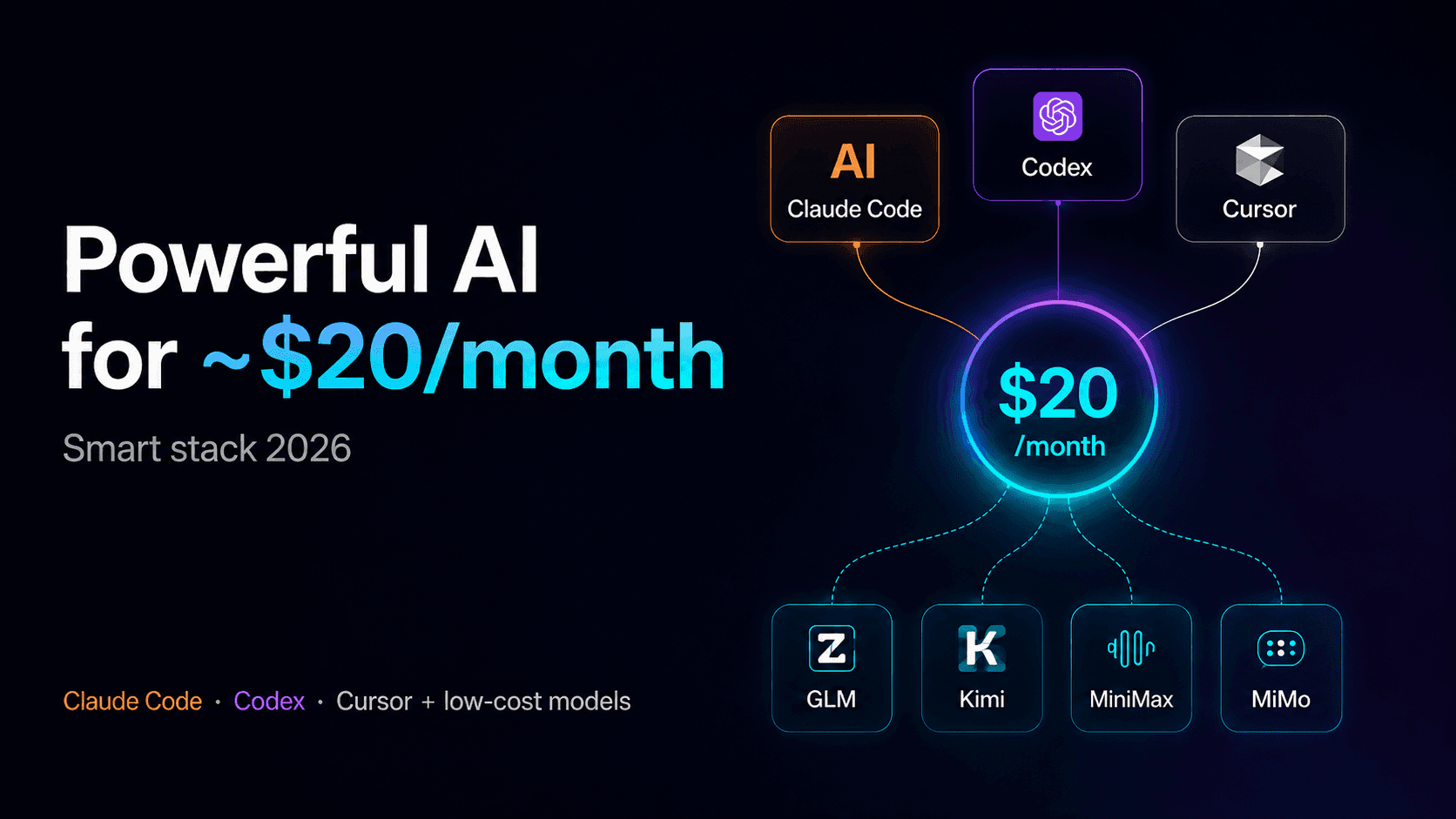
The Best AI Coding Stack in 2026: How Much Do You Actually Need to Spend?
The question that really matters is not:
“What is the best AI model?”
It is:
“How much do I actually need to spend to build an AI stack that can handle my workload?”
As of August 2026, the answer is cheaper than most people think.
For around $20 per month, you can get access to a frontier AI model inside a fully featured coding agent. Add another $18–$20 per month, and you can cover most of the high-volume work that your primary plan cannot absorb.
The common mistake is thinking you need one model for everything.
The smarter strategy in 2026 is AI model routing:
- Use frontier models for high-stakes, difficult work.
- Use inexpensive models for everything else.
Before comparing specific plans, here is the complete AI model price vs. intelligence landscape we use to make those decisions.
AI Model Price vs. Intelligence Comparison: August 2026
Based on Artificial Analysis data updated August 30, 2026:
| Model | Type | Intelligence Index | Omniscience* | Price / Mtok (Input → Output) | Speed | Real Cost per Task† |
|---|---|---|---|---|---|---|
| Claude Opus 5 | Closed SOTA | 63.1 | 37.1 | $5 → $25 | 54 tok/s | $2.34 |
| GPT-5.6 Sol | Closed SOTA | 60.9 | 22.0 | $4 → $20 | 83 tok/s | $0.95 |
| Kimi K3 | Open weights | 59.7 | 19.7 | $3 → $15 | 40 tok/s | $0.84 |
| GLM-5.3 | Open weights | 59.5 | 14.3 | $1.40 → $4.40 | 78 tok/s | $0.68 |
| Qwen3.8 2.4T | Open weights | 57.7 | 4.3 | $2 → $6 | 38 tok/s | $0.81 |
| GLM-5.3-Flash | Open, low-cost | 57.5 | 7.5 | $0.15 → $0.50 | 45 tok/s | $0.087 |
| Gemini 3.7 Flash | Closed, fast | 56.0 | 26.5 | $0.75 → $3.75 | 348 tok/s ⚡ | $0.40 |
| Qwen3.8-Flash-Next | Open, low-cost | 55.8 | — | $0.15 → $0.47 | 87 tok/s | $0.097 |
| DeepSeek V4 Pro | Open, low-cost | 53.2 | 0.8 | $1.32 → $3.96 | 78 tok/s | $0.27 |
| MiniMax-M3 | Open, budget | 45.4 | 1.4 | $0.30 → $1.20 | 150 tok/s | $0.14 |
- Omniscience: Artificial Analysis hallucination-calibration metric. Higher scores indicate that the model is less likely to fabricate information.
† Real cost per task: Estimated dollar cost of completing a task from the Intelligence Index benchmark, accounting for actual model speed.
The number worth paying attention to is real cost per task, not just price per token.
Claude Opus 5 leads the Intelligence Index with a score of 63.1, but costs approximately $2.34 per task.
GLM-5.3-Flash scores 57.5, roughly 10% lower, while costing only $0.087 per task.
That makes Claude Opus 5 roughly 27 times more expensive per task.
This gap is the core idea behind the rest of this guide:
Most developers and teams do not need to pay frontier-model prices for the majority of their AI workloads.
The Best AI Strategy in 2026: Frontier Models for Hard Problems, Cheap Models for Volume
Once you look at the comparison table, the logic behind a cost-efficient AI stack becomes straightforward.
Use a $20/month frontier AI plan for high-stakes work
A subscription that gives you access to a state-of-the-art model such as Claude Opus 5 or GPT-5.6 Sol should be reserved for tasks where mistakes are expensive.
Examples include:
- Complex refactoring
- Difficult debugging
- Architecture decisions
- Production migrations
- High-risk code changes
Use inexpensive AI models for high-volume work
Lower-cost options such as GLM Coding Plan, GLM-5.3-Flash, or MiniMax-M3 can absorb the repetitive workload:
- Generating tests
- Writing boilerplate
- Documentation
- Quick code reviews
- Repetitive transformations
- Low-risk implementation tasks
You do not need to pay frontier-model prices to write a README.
At the same time, you probably do not want to trust a production database migration to the cheapest model available.
The real question is not:
“Which AI model should I use?”
It is:
“Which AI model should I use for each type of task?”
Three $20 Entry Points: Codex, Claude Code, and Cursor
There are three compelling ways to spend your first $20 per month on an AI coding agent with frontier-model access.
Each takes a different approach.
Option A: ChatGPT Plus With Codex
ChatGPT Plus costs $20 per month and includes access to Codex, OpenAI's coding agent.
Codex is available through:
- CLI
- IDE extensions
- Web app
- iOS
- Integrations such as automated code review
You do not need a separate Codex subscription. It runs under the same ChatGPT plan.
Usage is measured through credits inside rolling five-hour windows.
The published range is approximately 10 to 100 messages using GPT-5.6 Sol per five-hour window, depending on task size and complexity.
You can process substantially more work when using Luna, the lighter and cheaper variant in the GPT-5.6 family.
Best for
ChatGPT Plus with Codex makes the most sense if you already work heavily inside the OpenAI ecosystem and want coding, general-purpose AI, and agent capabilities under one subscription.
Option B: Claude Pro With Claude Code
Claude Pro costs $20 per month, or approximately $17 per month when billed annually, and includes:
- Claude Code
- Claude Cowork
- Claude Design
Claude's usage system works differently from Codex.
Limits are based on a five-hour session window, combined with a weekly allowance shared across Claude Code and Claude applications on web, desktop, and mobile.
Anthropic does not publish exact token allowances.
Instead, it describes higher tiers using capacity multipliers:
- Claude Max 5x: $100/month
- Claude Max 20x: $200/month
Inside Claude Code, you can check your actual consumption using:
/usage
Best for
Claude Pro is particularly attractive if you prioritize long-running coding tasks, agentic workflows, and high-quality reasoning.
Option C: Cursor Pro — One Editor, Multiple AI Models
Cursor Pro also costs $20 per month.
Other tiers include:
- Hobby: Free with limits
- Pro+: $60/month
- Ultra: $200/month
The key difference between Cursor and tools such as Codex or Claude Code is structural.
Cursor is not built around a single AI provider.
It is an AI-native code editor with a model selector.
Inside Cursor, you can access a curated selection that includes models from:
- Anthropic
- OpenAI
- xAI
- Cursor
Cursor also offers Composer, its own model optimized for low-latency work inside the editor.
Why Cursor Is Especially Interesting for a Budget AI Stack
Cursor can also be configured with your own API keys for models such as:
- DeepSeek
- GLM
- Kimi
- MiniMax
These can be added as custom models through each provider's OpenAI-compatible API endpoint.
That traffic does not consume your Cursor model quota.
Instead, usage is billed directly by the external model provider, often at a fraction of the cost of curated frontier models.
In practice, this means Cursor can become the single interface where you switch between:
- Claude Opus 5 for a difficult production bug
- GLM-5.3-Flash for boilerplate
- DeepSeek for repetitive coding
- Another frontier model for architecture decisions
You can route work by cost and complexity without leaving your editor.
Codex vs. Claude Code vs. Cursor: Which $20 AI Coding Plan Is Best?
There is no universal winner.
The right choice depends on how you work.
Choose Codex with ChatGPT Plus if:
- You already use OpenAI heavily.
- You want access to GPT-5.6 Sol.
- You also want lower-cost GPT-5.6 variants such as Terra and Luna.
- You value automated code review.
- You want integrations such as Slack.
- You want coding and general-purpose ChatGPT access under one plan.
Choose Claude Code with Claude Pro if:
- You prioritize deep reasoning for complex coding tasks.
- You frequently run long agentic workflows.
- You want Claude across terminal, IDE, web, desktop, and mobile.
- You prefer not to think about manually selecting models.
- You value the model currently leading the Intelligence Index.
Choose Cursor Pro if:
- You want one coding environment where you can select the model per task.
- You want frontier models for difficult work.
- You want to bring your own API keys for low-cost models.
- You want to switch between Claude, GPT, Gemini, DeepSeek, GLM, Kimi, and MiniMax without changing tools.
In practice, many teams combine Cursor with Claude Code or Codex.
Cursor becomes the primary editor because of its model flexibility, while Codex or Claude Code serves as a more autonomous terminal-based agent for longer tasks.
The Best Cheap AI Options for High-Volume Coding
If you do not use Cursor—or simply want a dedicated low-cost channel for volume work—there are several compelling alternatives.
GLM Coding Plan by Z.ai: Starting at $18/Month
The GLM Coding Plan Lite tier costs approximately $18 per month, falling to around $12.60 per month with annual billing.
It provides roughly:
- 80 prompts per five-hour window
- Around 400 prompts per week
Higher tiers include:
- Pro: approximately $72–$80/month with roughly 5× the capacity
- Max: approximately $160–$168/month
The biggest advantage is compatibility.
The GLM Coding Plan can work with tools such as:
- Claude Code
- Cline
- Cursor
- More than 20 other coding tools
You configure the appropriate API endpoint and continue using essentially the same workflow while changing the model behind it.
GLM-5.3-Flash or Qwen3.8-Flash-Next API: Starting at $0.15/Mtok
If you prefer usage-based pricing instead of another subscription, these are among the cheapest capable options.
Pricing starts around:
- $0.15 per million input tokens
- $0.47–$0.50 per million output tokens
For large volumes of simple coding tasks, the cost is extremely low compared with frontier-model usage.
MiniMax-M3 API: $0.30 → $1.20 per Million Tokens
MiniMax-M3 is one of the fastest inexpensive options in this group.
Key numbers:
- $0.30/Mtok input
- $1.20/Mtok output
- 150 tokens per second
- 45.4 Intelligence Index
Its intelligence score is lower than the frontier models, but it can still be more than capable enough for repetitive, low-risk tasks.
Best AI Coding Stacks by Budget in 2026
Here are three practical ways to combine these tools based on monthly budget.
$20/Month: Frontier AI Only
Choose one:
- Claude Pro
- ChatGPT Plus
- Cursor Pro
No additional subscription is required.
This setup is enough if your AI coding workload consists of a few focused sessions per week rather than continuous daily usage.
$20/Month + Usage: Frontier AI and Cheap Models Inside Cursor
Use:
Cursor Pro + your own GLM-5.3-Flash or DeepSeek V4 Pro API key
Your fixed cost remains $20 per month, plus whatever you actually consume through the inexpensive model.
For moderate usage, the additional API spend can often remain below $10 per month.
This is one of the most flexible setups because both frontier and low-cost models live inside the same coding environment.
$38–$40/Month: Frontier AI + Dedicated High-Volume Coding
Combine:
Claude Pro or ChatGPT Plus ($20) + GLM Coding Plan Lite ($18)
Use the frontier subscription for tasks that require strong reasoning.
Route repetitive work to the GLM Coding Plan.
This is a strong configuration if you want to keep your premium coding agent separate from your high-volume AI channel.
$90–$100+/Month: Heavy AI Usage for a Small Team
For heavier daily workloads, a higher-capacity frontier plan can be paired with a dedicated volume model.
Examples include:
- Claude Max 5x
- ChatGPT Pro
- GLM Coding Plan Pro
This type of setup provides substantial frontier-model capacity alongside a cheaper channel for low-risk, repetitive work.
The strategy remains the same regardless of budget:
Reserve expensive AI models for mistakes that would be expensive. Route everything else to cheaper models.
When Frontier AI Models Are Worth Paying For
The cheapest model is not always the right model.
There are three situations where paying for frontier-level intelligence can easily be justified, even on a limited budget.
1. When a Mistake Would Be Expensive to Fix
Examples include code involving:
- Payments
- Customer data
- Authentication
- Production infrastructure
- Critical database migrations
The cost difference between models is irrelevant if a bad decision creates hours or days of engineering work.
2. When the Task Depends on Verifiable Facts
Examples include:
- Prices
- Dates
- Legal information
- Financial figures
- Customer-facing factual claims
In these cases, model reliability and hallucination calibration may matter more than raw token cost.
That is where metrics such as the Omniscience score become particularly useful.
3. When You Are Making an Architecture Decision
Architecture is different from execution.
Generating another test file is cheap to redo.
Choosing the wrong database architecture, service boundary, deployment strategy, or abstraction layer can cost weeks of engineering time.
That is exactly where paying for the strongest model available can make financial sense.
Outside these situations, inexpensive models are often good enough—and that is where most of the savings in an optimized AI stack come from.
Conclusion: The Smartest AI Stack Is About Routing, Not One Model
The idea that you need to spend thousands of dollars per month on AI tokens to compete with a serious AI development stack no longer holds up in 2026.
The numbers make that clear.
The gap between the most expensive and cheapest models in this comparison is only around 18 points on the Intelligence Index, while the difference in real cost per task exceeds 25×.
For around $20 per month, you can already get a complete frontier-level AI coding environment through:
- Codex
- Claude Code
- Cursor
Add another $18–$20 per month, or a small amount of usage-based API spend, and you can cover most of the high-volume work that your primary plan cannot handle efficiently.
The advantage does not come from spending more money.
It comes from routing every task to the right model based on complexity, risk, and cost.
If getting something wrong would be expensive, use the frontier model.
If the task is repetitive and easy to verify, use the cheaper model.
That is what an efficient AI stack looks like in 2026.
Need Help Choosing the Right AI Stack?
Want help designing the right AI coding stack for your team, workload, and budget?
Tags:
Preguntas Frecuentes del Artículo
Resolvemos las dudas específicas sobre este tema.